Family logistics, finally in one place
Details
Product
Family Assistant
A family app where the AI isn't a chatbot in a corner but a named member of the group chat, with the family's schedule in hand. The trust model is the design.
Problem
Conversations that never become commitments
Someone asks who can handle today's errand; several people answer; nobody goes. A thread holds the conversation but never the commitment. The obvious fix — an AI that reads the family's chat and schedule — is exactly the kind of AI nobody wants in the house.
Solution
An AI bound by a visible trust contract
So the assistant lives by a contract: it speaks only in the shared thread, always under its own name, and nothing it does is irreversible. Within those rules it can do what no bot-in-a-corner can — notice the open question, check who's actually free, and turn the agreement into an owned, scheduled task.
Result
Full assistant experience, designed to ship
Complete assistant experience across onboarding, chat, dashboard, tasks, and family settings — including proactivity rules, suggestion patterns, and AI failure states across all surfaces. Built with a full team.
Impact
App launches in October 2026. Metrics to be measured post-launch.
Design decision
- 01/ AI speaks only in the shared thread
- 02/ Every AI action is editable
- 03/ Family names the assistant at setup
Success measure
- Suggestion acceptance rate
- AI feature retention after week one
- First-week assistant engagement
Context
A lot of families already have a group chat. Almost none of them have a system.
Requests share the thread with jokes and photos, with no way to tell what's still open. Tasks, when they exist at all, live in a separate app nobody opens together. The market's answer — add an AI — cuts both ways: an algorithm reading a family's private space is either invaluable or invasive. There is no neutral ground, and no existing product had solved the trust problem.
Problem
A request without an owner isn't a plan — it's a message that disappears upward.
An appointment gets mentioned to one parent and never reaches the other. Several people volunteer for the same errand and each assumes another took it. The information exists — it just never turns into a commitment anyone can see or check on later. A reactive chatbot doesn't fix this: the family's real failures happen precisely when nobody thinks to ask.
Process + Key Insights
I wrote the assistant's social contract before its screens.
Three rules: speak only in the shared thread, always under your own name, never irreversibly. Every interaction pattern in the app derives from those rules — which is why the assistant's behavior feels consistent enough to trust.
Proactivity is triggered by the family's own questions, not by opportunity.
The assistant doesn't announce free slots all day. It waits until the conversation creates a need — an open "who can?" hanging in the thread — and only then speaks, with the schedule already checked and a specific person and time to propose. A question that arrives as yes/no is the kind that gets answered.
Correction is a first-class flow.
When the assistant files a task, it says so in the thread — and anyone can reassign, retime, or delete it from the same screens they'd use for their own. Visible reversibility is what makes proactive filing acceptable in a family's space.
Not every family member can hold an account.
A kid also shows up as an avatar with the associated tasks, added and managed by a parent — without ever logging in. The identity system had to work for people who'll never open the app, and for an assistant that was never a person at all: both live on the same roster, in the same avatar language.
Solution — How It Works
Family Assistant — a shared space where an open question becomes an owned task, and an assistant with real schedule context follows through.
Onboarding — sign up, build a profile with an emoji avatar and color, choose a plan.
Create or join a family — name the family and its assistant, or enter with an invite code.
Dashboard — one glance covers today: tasks, unread messages, and an AI-written summary.
Chat + assistant — the shared thread where suggestions arrive with schedule context.
Tasks — assign, track, and complete household to-dos with visible ownership per member.
Design 1/7 — Onboarding & Auth
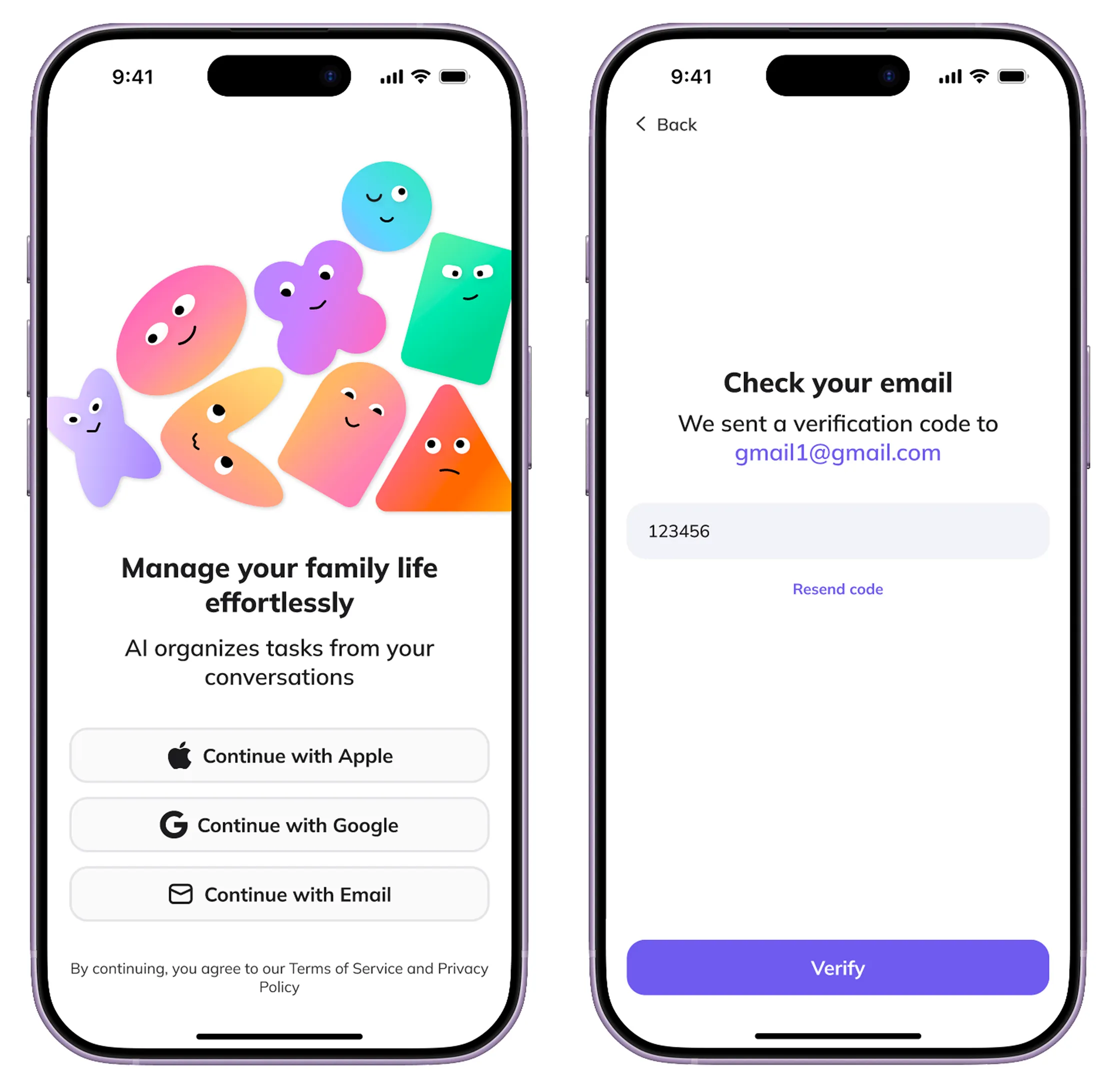
Apple, Google, or email — and the email path is protected against real life: verification with a resend option, so a slow inbox or a typo doesn't strand anyone mid-signup.
Design 2/7 — Profile Setup
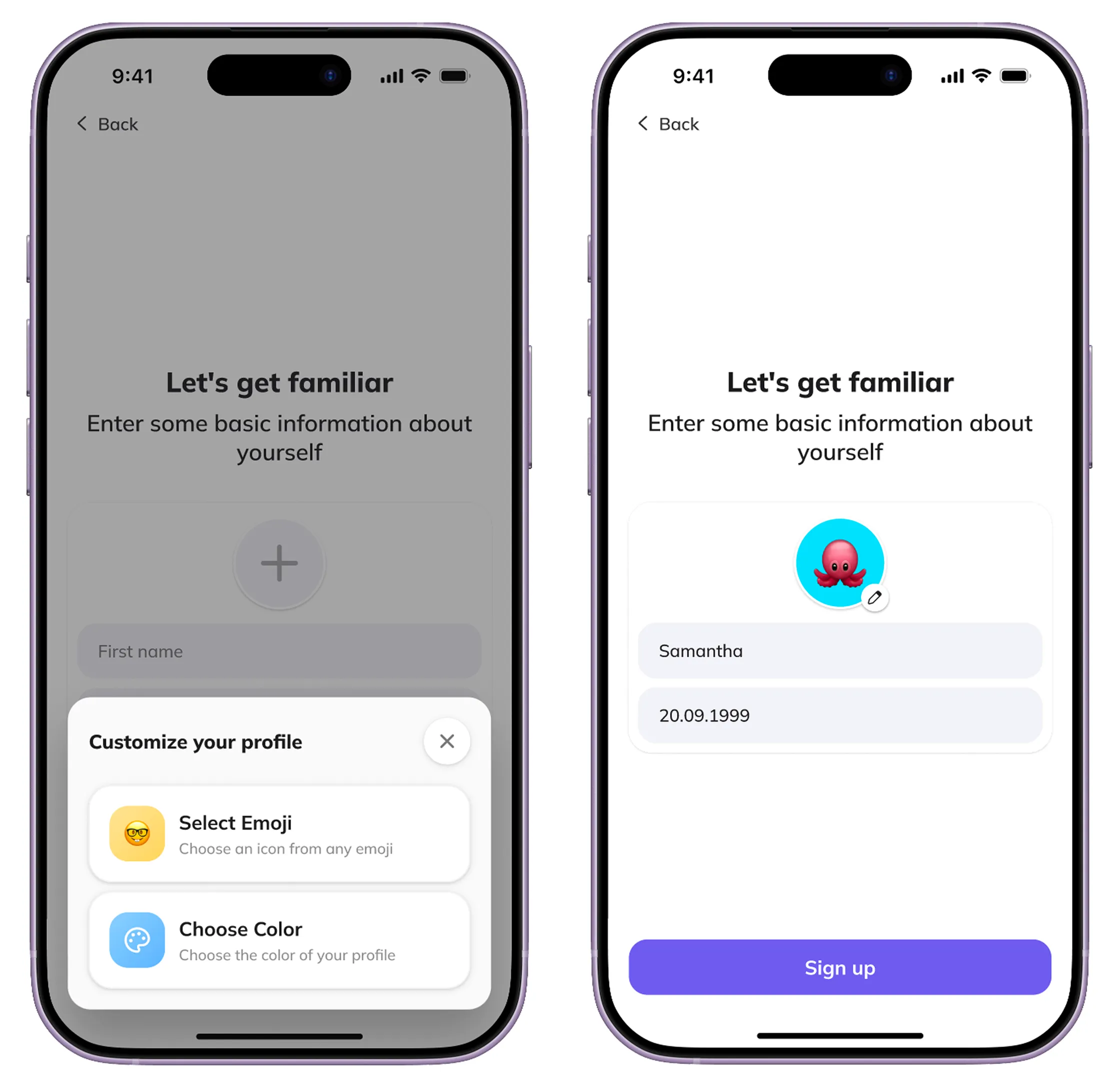
Name, date of birth, an emoji avatar, and a color — the full identity a member needs. The same avatar language will later mark tasks, messages, and the assistant itself.
Design 3/7 — Create or Join a Family
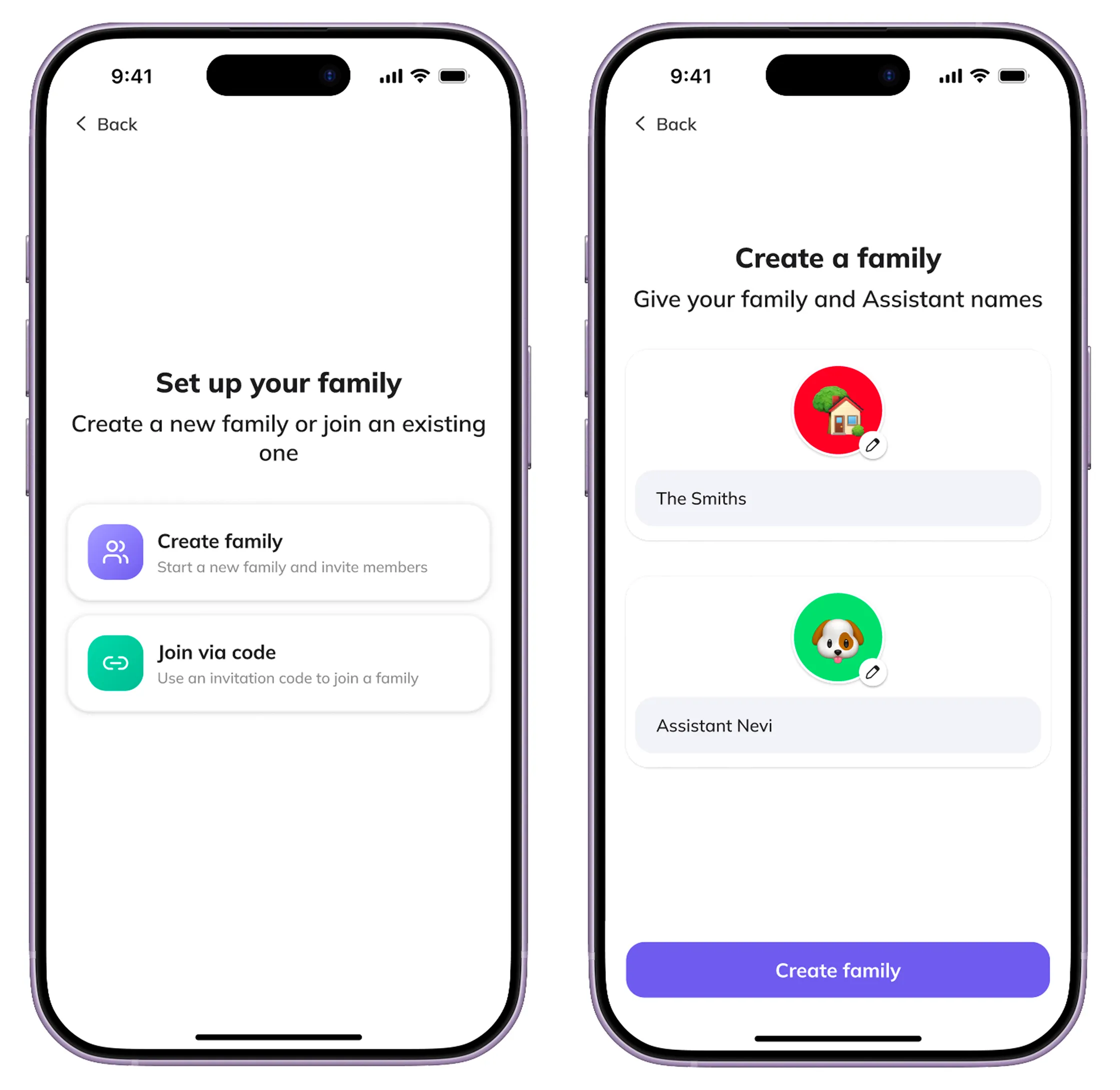
One screen, two paths: start a family — naming both the family and its assistant in the same breath — or join one with a code. The journeys genuinely diverge: a creator lands in a space they're meant to fill, a joiner arrives at a family already in motion.
Design 4/7 — Dashboard
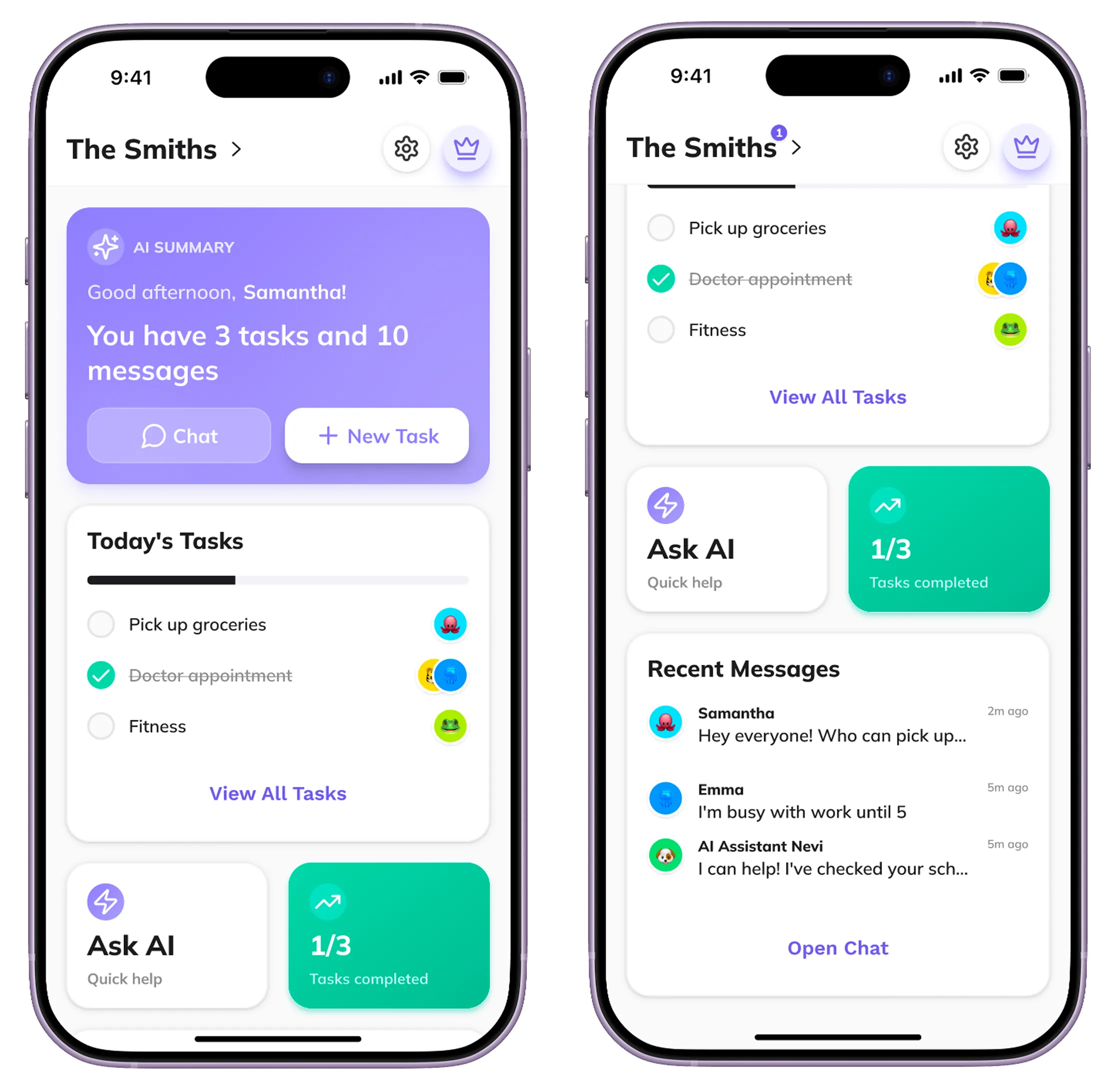
The home screen opens with an answer, not a menu: a one-line AI summary of the day, then today's tasks with their owners' avatars, quick actions, and a preview of recent messages. The errand agreed on in chat twenty minutes ago is already here — owned, scheduled, visible.
Design 5/7 — Chat
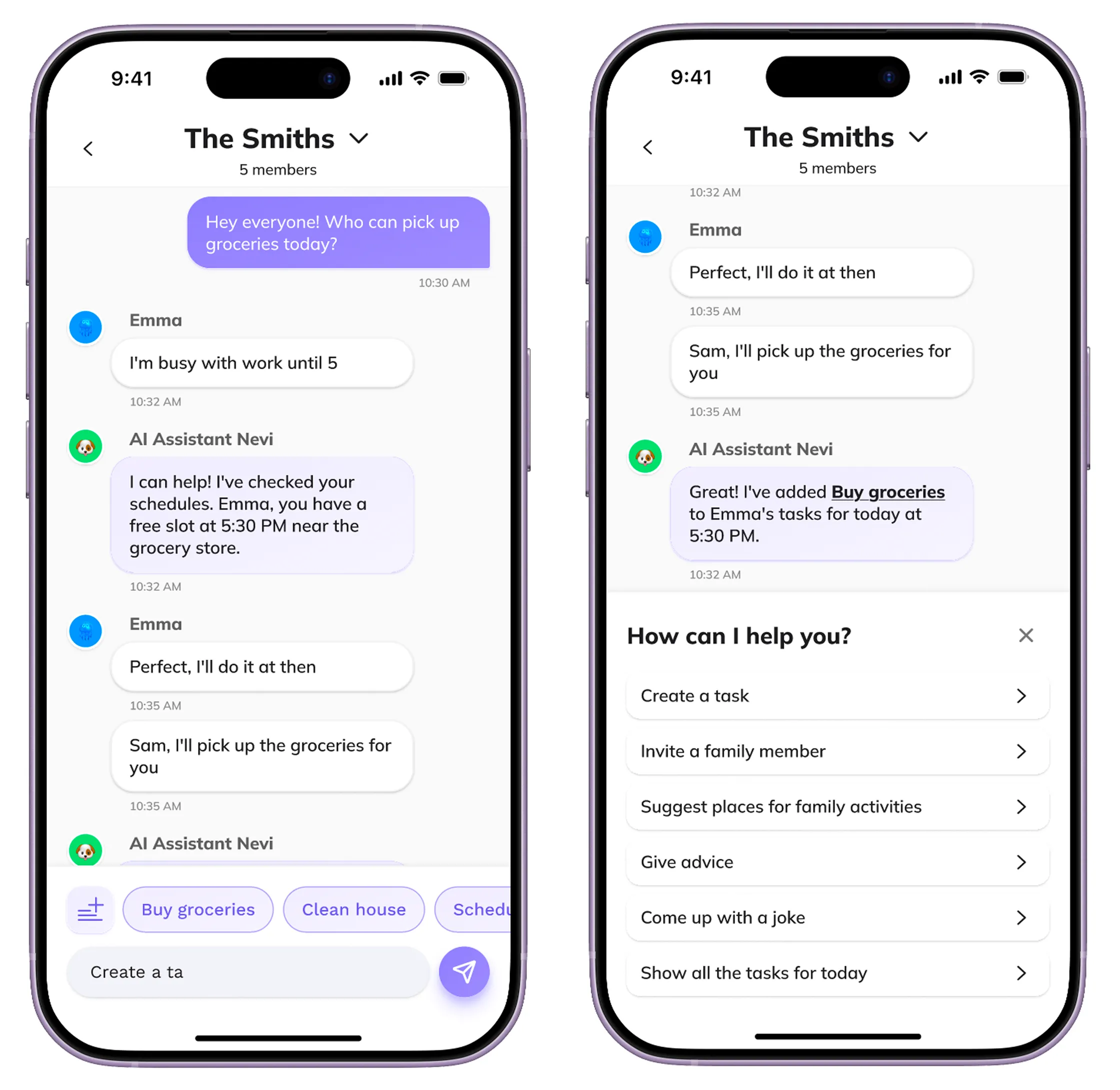
The trust model at work. The assistant sits in the thread like any member — reading the conversation and the schedules together, staying silent through the jokes, and speaking only when an open question gives it something useful to say. Its proposal names a person and a time; one reply later, the task exists. Quick-question chips and a suggestions panel sit by the input for families who'd rather ask than be offered.
Design 6/7 — Tasks
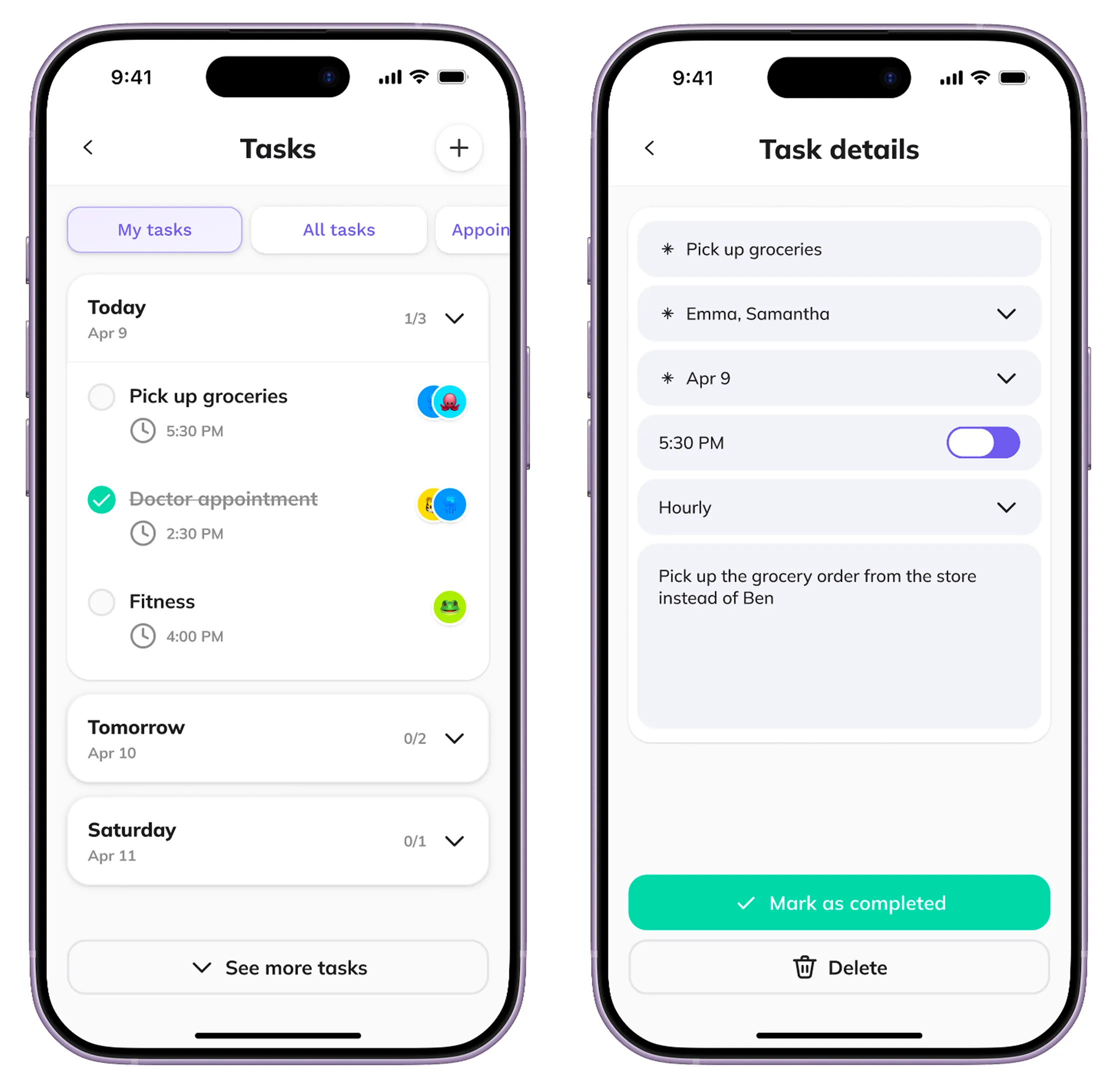
A dedicated task view with filters and per-task detail states — assigning, editing, completing — using the same avatar system as the rest of the app. Tasks filed by the assistant land here indistinguishable from anyone else's, and just as editable.
Design 7/7 — Family Settings
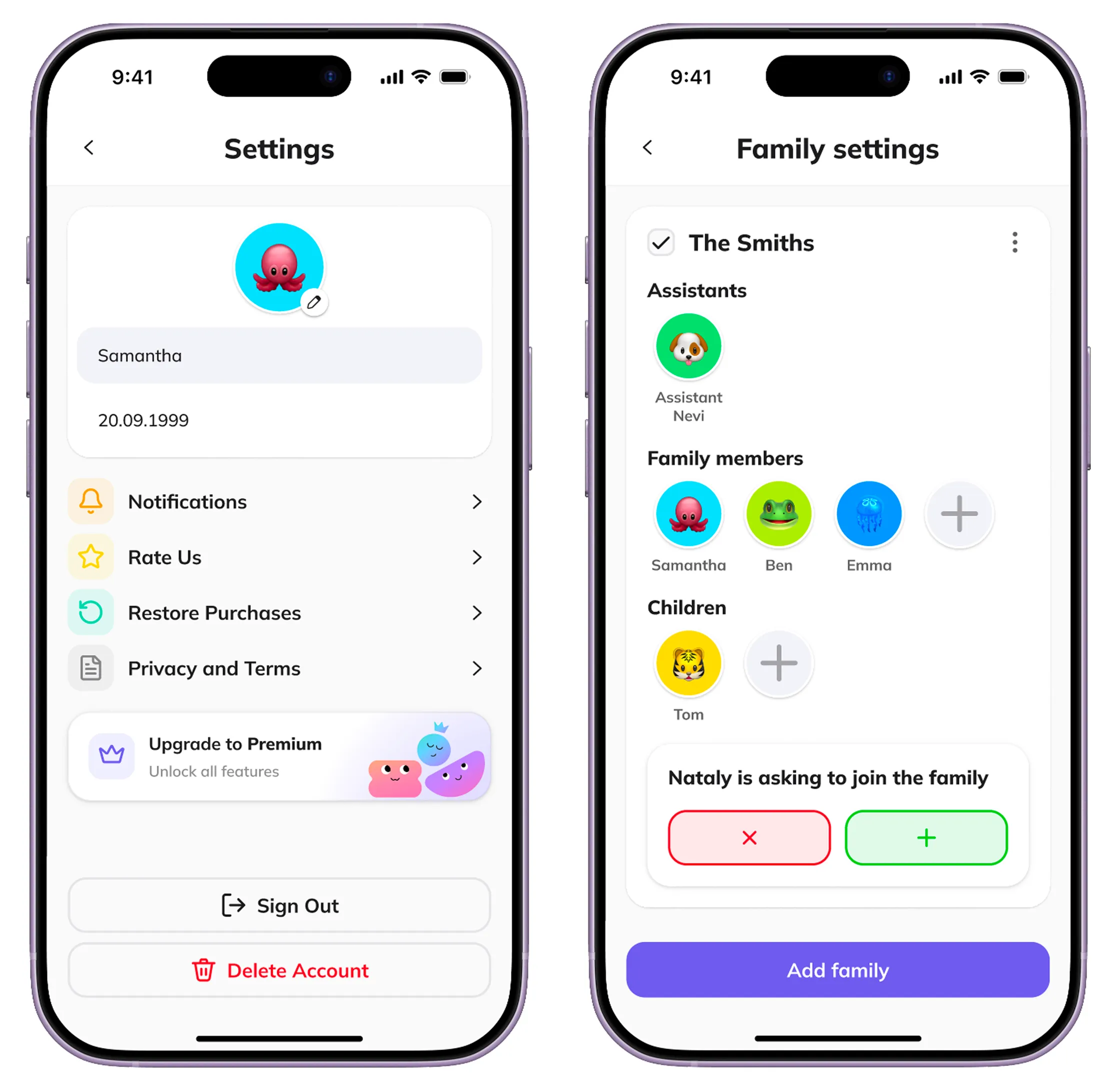
The roster makes the trust model literal: an Assistants section sits beside the family members, above the kids' managed profiles and pending join requests. The assistant isn't buried in preferences — it's on the family list, where a member belongs.
Store Presence
The app icon and store screenshots were also part of this project — a different design problem: winning a glance in a listing rather than walking someone through a flow. The app launches in October.
Reflections
- People trust the assistant because it acts like a member of the chat, not because of a feature list.
- Its avatar and a family-chosen name did more than any onboarding copy could.
- Constraints made the AI feel smarter.
- Limiting where and when it speaks made each utterance count — an assistant that knows when not to talk reads as more intelligent, not less.
What I Learned — and What I'd Do Next
- Validate whether suggestions actually get acted on.
- The entire premise rests on the assistant closing the loop between "someone should do this" and "someone did." I designed for that loop but couldn't test it without real family usage — only post-launch data can confirm the core assumption holds.
- Let people close the loop without leaving the thread.
- Right now the assistant proposes and someone acts elsewhere. A quick "done" or "can't" reply would let it track outcomes, not just create them — and I should have designed that inline response pattern from the start.
- Design a real experience for people who'll never log in.
- A kid's avatar exists only because a parent added it. There's no distinct experience yet for someone who's represented in the family but will never hold an account — that gap deserves its own design pass, not just an avatar on someone else's roster.